18 Best OGG to MP3 Converters in 2026 (Free and Paid)
The best OGG to MP3 converters in 2026. Compare offline desktop apps, open-source tools, and online converters for sharing open-format audio with people who need the most compatible option.
Posted by
 Jake Manger
OGG to MP3 is the conversion that comes up when you have files from an open-source corner of the audio world: Linux distro music players that ripped CDs as Vorbis, game audio assets (Unity and Unreal both use OGG by default for streamed music), Wikimedia's media archive, and anything Bandcamp lets you download in the “lossless” tier. OGG (technically Vorbis or Opus inside the Ogg container) is a solid format, but it has the same compatibility wall WMA does — Apple devices refuse it outright, Bluetooth headsets vary, and most car stereos pretend it does not exist. MP3 still works everywhere. This guide compares 18 OGG to MP3 converters in 2026.
A clarifying note: there are two common “OGGs.” Ogg Vorbis is the older standard. Ogg Opus is the newer codec, used in WhatsApp voice notes and Discord recordings (often saved with a .ogg or .opus extension). Both convert to MP3 the same way; the next section mentions the practical differences.
Vorbis vs Opus — Does It Matter?
For conversion, no — every tool below reads both. For bitrate choice, slightly:
- Vorbis at 192 kbps sounds similar to MP3 at 256 kbps.
- Opus at 96 kbps sounds similar to MP3 at 192 kbps — Opus is a much more efficient codec.
So if you are converting an Opus voice note, MP3 at 128 kbps is fine. If you are converting a Vorbis music file, aim for MP3 at 256 or higher to keep the quality stack from collapsing.
Quick Picks for OGG → MP3
- Best free batch: fre:ac.
- Best CLI: FFmpeg.
- One file: VLC, Audacity, or a web tool.
- Linux native: SoX or FFmpeg.
- Game asset folder: FFmpeg in a script.
One-shot: OGG to MP3 converter.
1. How to Convert (I built this one)

Drop OGGs in (Vorbis or Opus), pick MP3, set bitrate, hit convert. Local.
Pricing
- One-time purchase; free web demo for single-file conversions.
 How to Convert
The offline file converter for Mac, Windows and Linux.
- Converts video, audio, images, documents, ebooks and more
- Everything runs locally. Your files never leave your device
- Pay once. Access forever
Get the app on Mac, Windows and Linux
2. FFmpeg
Single file at LAME VBR -V 2:
ffmpeg -i input.ogg -q:a 2 output.mp3
Whole folder:
for f in *.ogg; do ffmpeg -i "$f" -q:a 2 "${f%.ogg}.mp3"; doneFor a game asset folder where you want all files at exactly 192 kbps CBR:
for f in *.ogg; do ffmpeg -i "$f" -b:a 192k "${f%.ogg}.mp3"; donePricing
- Free, open source.
3. fre:ac
Cross-platform batch converter. Reads both Vorbis and Opus, writes MP3 via LAME. Preserves tags.
Pricing
- Free, open source.
4. VLC

Media → Convert / Save → output MP3. Reads OGG natively. Single-file workflow.
Pricing
- Free, open source.
5. Audacity
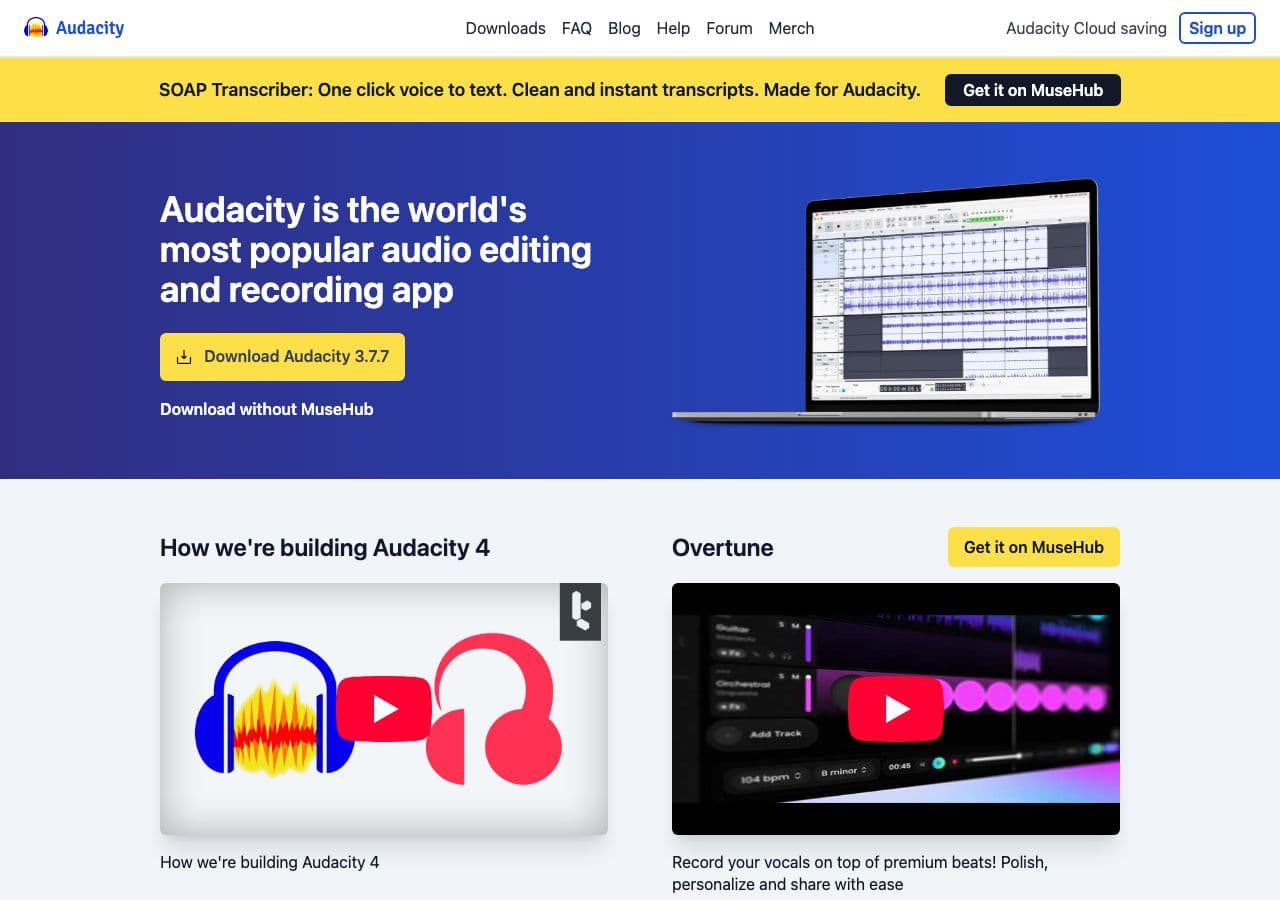
Open OGG, File → Export → MP3. Useful when you want to edit the OGG first (trim, normalize, fade-in for a game asset).
Pricing
- Free, open source.
6. SoX
Especially good on Linux:
sox input.ogg -C 192 output.mp3
With normalize:
sox input.ogg -C 192 output.mp3 norm
Pricing
- Free, open source.
7. MediaHuman Audio Converter
Drag-and-drop batch tool for Mac and Windows.
Pricing
- Free.
8. Foobar2000 (Windows)
Audiophile Windows player + converter. LAME output with detailed presets.
Pricing
- Free.
9. XLD (Mac)
Mac batch converter. Clean LAME output, handles Vorbis and Opus.
Pricing
- Free.
10. Switch Audio Converter (NCH)
Lightweight commercial converter.
Pricing
- Free home; paid commercial.
11. dBpoweramp
Premium library tool. Overkill for one-off OGG → MP3; great for converting whole game audio asset folders to MP3 for a port.
Pricing
- Paid.
12. LAME (CLI)
Direct LAME pipeline for maximum control:
oggdec -o - input.ogg | lame -V 2 - output.mp3
Pricing
- Free, open source.
13. afconvert (macOS)
Apple's built-in tool. Limited OGG support — may need a Vorbis component installed. Skip in favor of FFmpeg.
Pricing
- Free with macOS.
14. CloudConvert
Web converter, OGG → MP3 with bitrate options. Stay local for voice notes that contain personal content.
Pricing
- Free tier; paid above.
15. Convertio
Web OGG → MP3 with bitrate selection.
Pricing
- Free with caps; paid above.
16. Online Audio Converter (123apps)
Simple browser-based converter.
Pricing
- Free with limits; paid above.
17. FreeConvert
Web converter with quality slider.
Pricing
- Free with caps; paid above.
18. Zamzar
Long-running web converter.
Pricing
- Free with daily limits; paid above.
How to Choose
- Batch: fre:ac, FFmpeg, or How to Convert.
- One file: VLC, Audacity, or any web tool.
- Game asset pipeline: FFmpeg in a build script.
- Linux: FFmpeg or SoX.
- Voice note (Opus): 128 kbps MP3 is fine.
- Music (Vorbis): 256+ kbps MP3 to keep quality.
Final Thoughts
OGG → MP3 is mostly the conversion you do for compatibility with Apple devices and older playback hardware. Both Vorbis and Opus are technically excellent codecs that the ecosystem has not embraced as broadly as MP3. For voice notes (Opus), 128 kbps MP3 keeps the file small and clear; for music (Vorbis), use 256 or 320 kbps to preserve quality. FFmpeg is the workhorse; fre:ac is the friendly UI; everything else is variations.
How to Convert
The offline file converter for Mac, Windows and Linux.
- Converts video, audio, images, documents, ebooks and more
- Everything runs locally. Your files never leave your device
- Pay once. Access forever
Get the app on Mac, Windows and Linux
