JATS vs DocBook: Which XML Format Do You Need?
Learn why journals normally use JATS, why technical books use DocBook and what to check after converting between them.

JATS is mainly used for scholarly journal articles. DocBook is mainly used for technical books, manuals and documentation. If a publisher or documentation system has asked for one of them, that requirement normally decides the answer.
Both are XML formats, which means they use named tags to describe parts of a document. Conversion can move the obvious parts such as titles, sections and paragraphs, but specialised journal or manual information may need a human check.
Start with the kind of document
JATS knows about journal-specific information such as article titles, authors, affiliations, abstracts, citations and funding. DocBook knows about books and technical documentation, including chapters, procedures, code and reference material.
You do not need to study their full rule books to make a first conversion. You do need to know which format the receiving publisher or system expects, and ideally which version it accepts.
How to make a DocBook 5 copy of JATS
Keep the JATS source
Make the DocBook file as a new copy. Do not rename or replace the journal source.
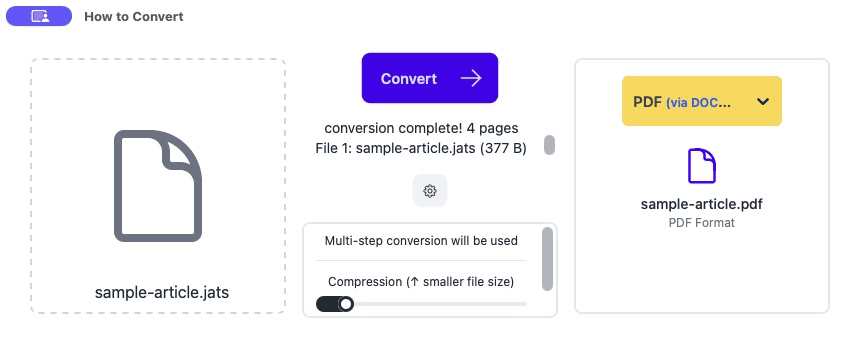
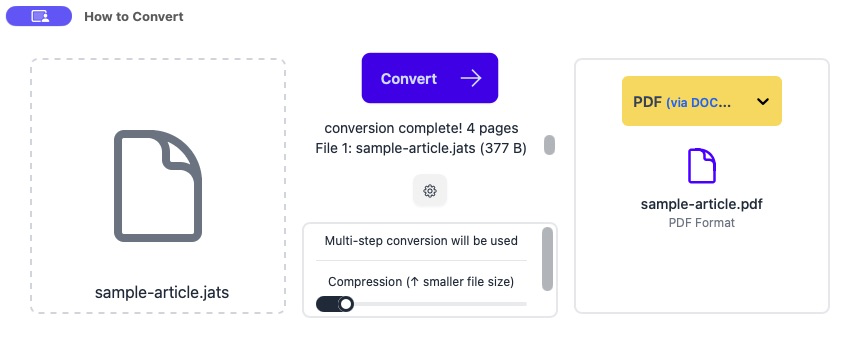
Drag the `.jats` file into How to Convert
The app recognises the final extension, so use a filename that ends in `.jats` rather than `.jats.xml` for this workflow.
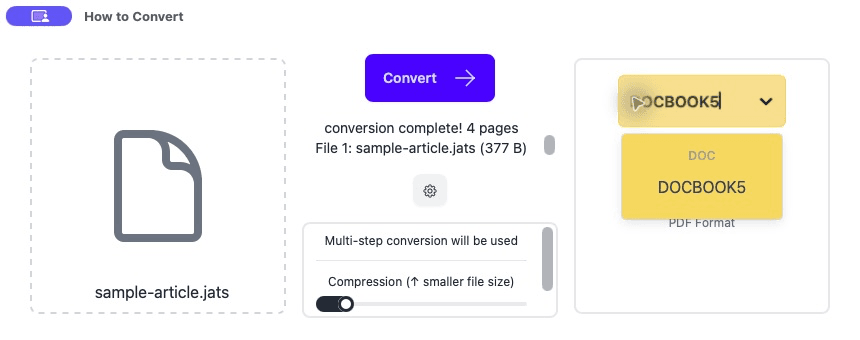
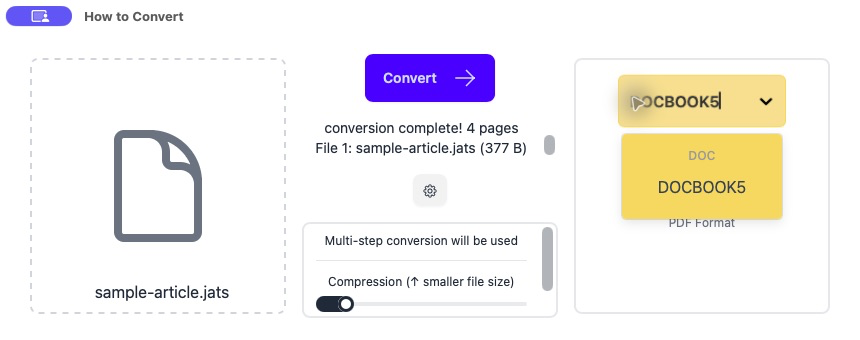
Choose DOCBOOK5
Open the output menu, select DOCBOOK5 and click Convert.
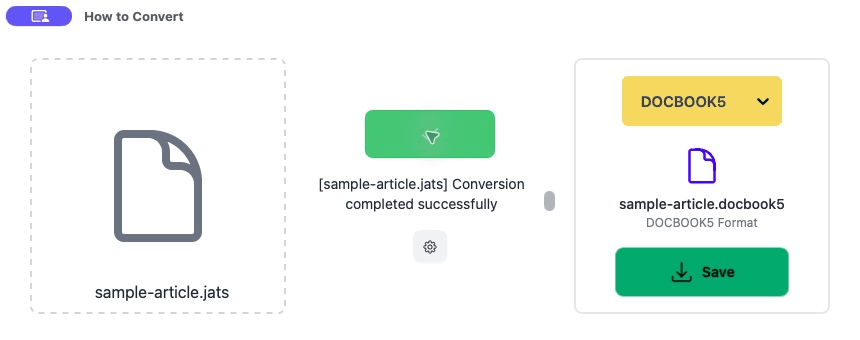
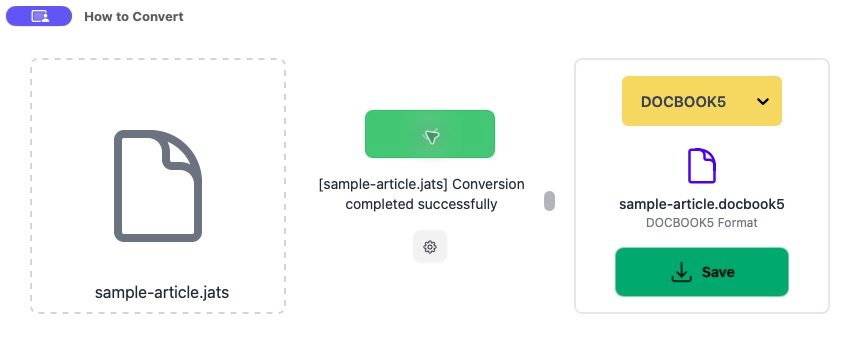
Save and compare the important parts
Open the result in the system that requested it. Check title, authors, sections, figures, tables and references. Those are more useful checks than merely seeing that the file opens.
Common problems
The output format does not appear
The source filename ends in `.xml`, so the app treats it as generic XML.
Use a copy with the final extension `.jats` and try again.
The file opens but author details are missing
Those JATS fields did not have a simple DocBook destination.
Keep the JATS source and define how the receiving workflow wants those fields represented.
Cross-references do not work
An ID or link target changed during conversion.
Check every figure, table, note and citation link in a representative result.
Frequently asked questions
Is JATS a type of DocBook?
No. They are separate XML formats made for different publishing work.
Can the conversion be automatic?
The common structure can be converted automatically. Specialised metadata and unusual documents still need review.
Why does the exact version matter?
Publishers and tools may accept one version or custom rule set and reject another.
How do I know the migration worked?
Validate with the receiving system, then compare the content and important fields in a difficult real sample.
Extra: Validation and information that may not map neatly
A schema is the rule set for an XML format. A validator checks the finished file against those rules. Ask the receiving organisation which DocBook 5 schema or tool it uses, then validate with that exact target when the conversion is for production.
A file can pass validation and still lose useful meaning. Journal contributor roles, funding details or citation types may not have a perfect DocBook equivalent. Compare the important fields in the source and result rather than relying on one green validation message.
For a large migration, convert one difficult article first. Include authors, affiliations, figures, tables, equations and references, then agree on what should happen to anything that does not have a direct destination.
