TIFF vs JPG: Which Should You Use?
Use TIFF when you need a high-quality master and JPG when you need a smaller copy that is easy to share or upload.

TIFF is useful when you need a large, high-quality working file. JPG is useful when you need a much smaller file that opens almost anywhere. For most people, TIFF is the master and JPG is the copy they send.
Converting TIFF to JPG is straightforward: keep the TIFF, make a JPG copy and check the result. Converting a small JPG to TIFF will make a larger file, but it will not create missing detail.
Why TIFF files are so large
TIFF can store image data without the kind of loss used by JPG, and it is common in scanning, publishing and print work. It can also contain more colour information than a normal JPG. All of that can make the file very large.
JPG is designed for sharing and delivery. If the printer, website or client accepts JPG, a carefully made JPG copy is often all you need to send.
How to make a JPG copy of a TIFF
Keep the TIFF as your master
Do not replace it. Create a separate folder for the JPG copies.
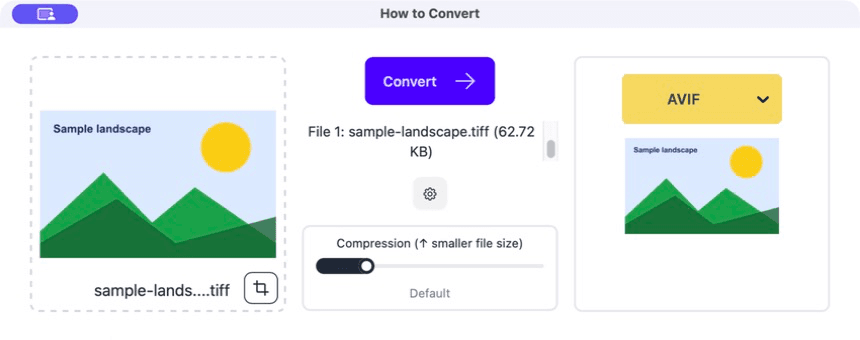
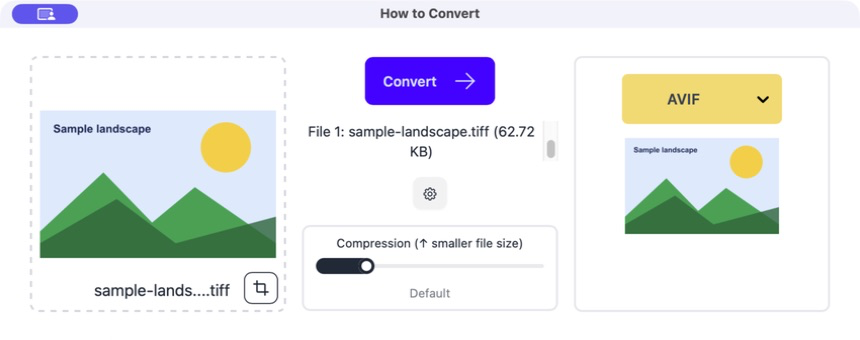
Drag the TIFF into How to Convert
Check that the preview is the image you expected, especially if the TIFF came from a scanner or specialist program.
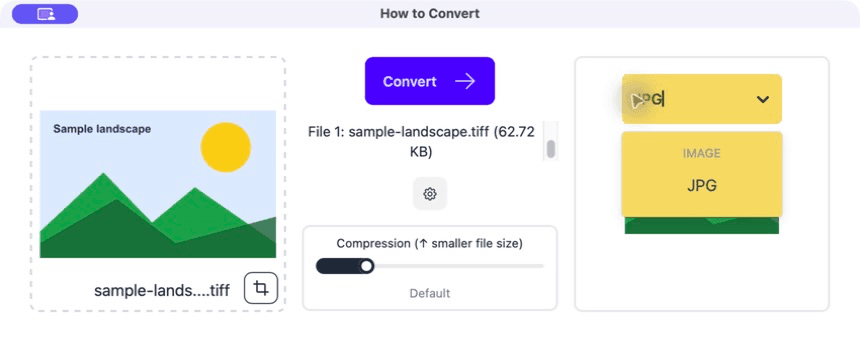
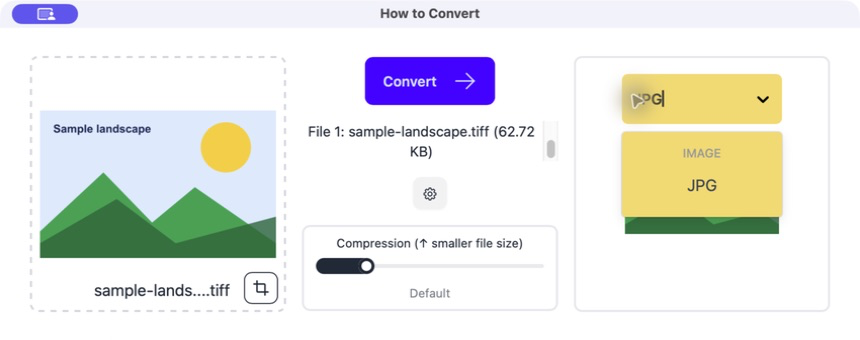
Choose JPG
Start with the normal quality setting. Lower it only if the receiving service has a strict file-size limit.
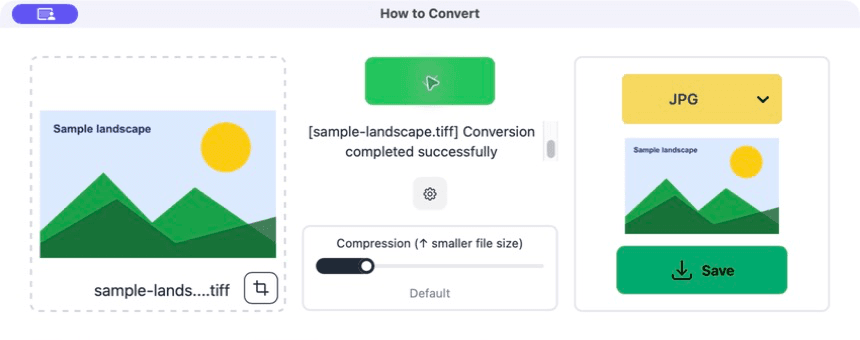
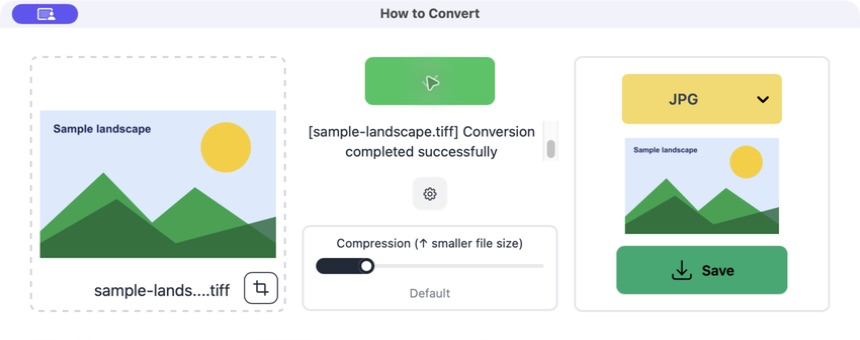
Convert and compare
Open the JPG and check colour, small text and fine detail. If it looks right in the destination, use the JPG and archive the TIFF.
Common problems
The JPG colours look different
The TIFF used a colour setup the viewer or conversion handled differently.
Keep the TIFF and check the printer's colour requirements before converting again.
The JPG is too soft
The quality was set too low or the TIFF was resized.
Convert again from the TIFF with higher quality and the required dimensions.
The TIFF has several pages
Some TIFFs contain more than one image.
Check which pages the destination needs and use a multi-page format such as PDF if that is the real goal.
Frequently asked questions
Is TIFF better than JPG?
It is better as a high-quality master in some workflows. JPG is better for small, widely compatible delivery files.
Does JPG to TIFF improve a photo?
No. It stores the existing JPG pixels in a different file but cannot recover lost detail.
Should I email a TIFF?
Only if the recipient asks for it. A JPG copy is normally much easier to send.
Can I batch convert TIFF files?
Yes. Test one first, then add the group and save the JPGs into a separate folder.
Extra: Colour and high-bit-depth TIFF files
Some TIFF files contain CMYK colour or more than eight bits of information per colour channel. A normal JPG copy may use ordinary RGB and less colour information. That is fine for many delivery jobs, but it is a reason to keep the TIFF.
For professional printing, ask the receiving printer what colour profile and format they want. A generic conversion is not a replacement for their delivery specification.
