MKA vs MP3: What's the Difference?
Learn what an MKA file contains, why MP3 works in more places and how to make an MP3 copy without deleting the source.

MKA and MP3 are not really two versions of the same thing. MP3 is a type of compressed audio. MKA is a container that can hold one or more audio tracks, subtitles and other information.
If an MKA file will not play on your phone, car or music app, making an MP3 copy is the easy compatibility fix. Keep the MKA if it contains several tracks or if you might want its original-quality audio later.
Think of MKA as the box
The `.mka` file is a Matroska audio container. Inside it might be FLAC, AAC, Opus or another type of audio. It can also hold more than one track, which is useful for albums, languages or commentary.
MP3 is much simpler and works nearly everywhere. The trade-off is that it removes some audio information to keep the file small, and it normally represents one main listening track rather than a complicated package.
How to make an MP3 copy
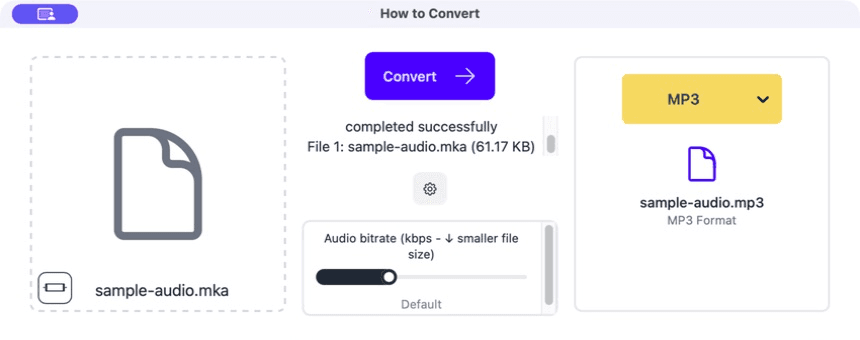
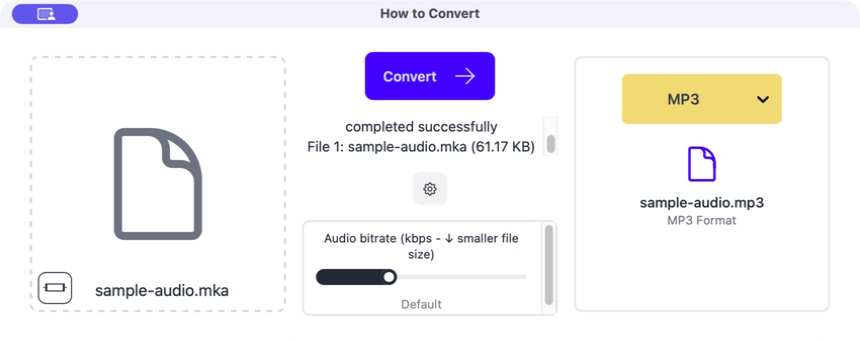
Drag the MKA into How to Convert
The file appears on the left. If it contains several tracks, make sure the default track is the one you actually want.
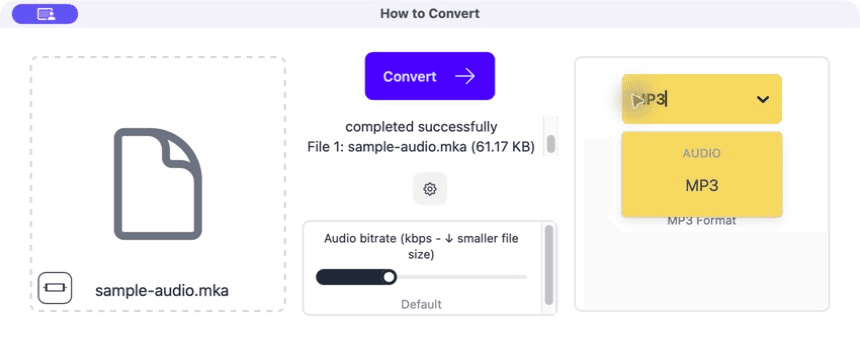
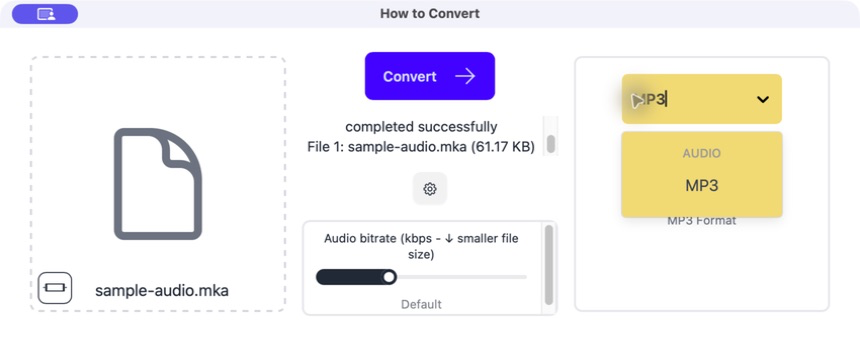
Choose MP3
Open the output menu and select MP3. Start with the normal bitrate setting unless you have a strict size limit.
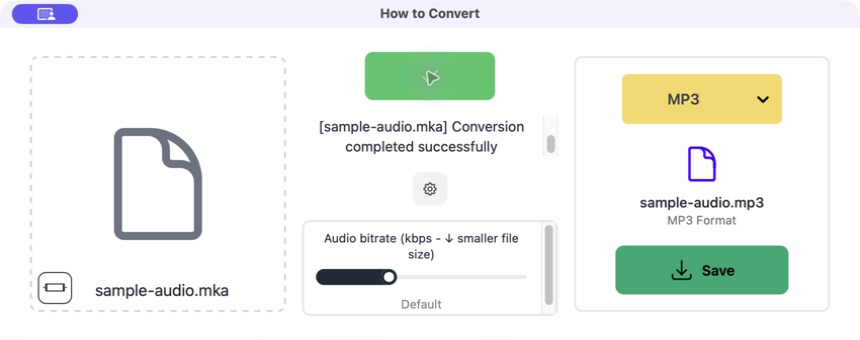
Click Convert
The app extracts and converts the audio. The original MKA stays where it is.
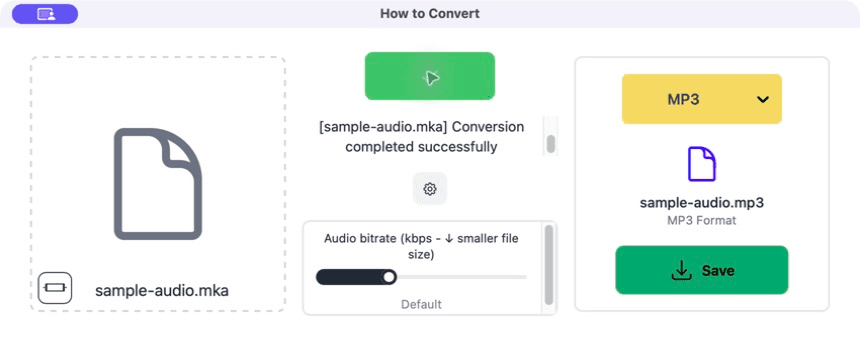
Save and listen
Play the beginning, a point in the middle and the end. Check that you got the right track and that it is not cut short.
Common problems
You got the wrong language or commentary
The MKA contains several audio tracks and the default one was selected.
Choose the required track in a media-aware tool and convert again.
The MP3 sounds quieter or different
The source was converted to a new lossy file.
Keep the MKA and try a higher MP3 bitrate if the difference matters.
Surround sound became stereo
MP3 playback and the chosen settings used fewer channels.
Keep a multichannel master and make a separate stereo MP3 for ordinary listening.
Frequently asked questions
Can phones play MKA?
Some apps can, but support is inconsistent. MP3 is the easier format for general playback.
Does MKA mean lossless audio?
No. It can contain lossless or lossy audio; the extension alone does not tell you which.
Will converting to MP3 make it smaller?
Usually, especially if the MKA contains lossless audio. The exact size depends on duration and MP3 bitrate.
Should I delete the MKA?
Keep it when it is your best source or contains extra tracks you may need.
Extra: Finding out what is inside an MKA
A media information tool can show the audio codec, number of tracks, languages, channel layout and sample rate. That is useful when the MKA has commentary, several languages or surround sound.
If the audio inside is already MP3, a tool may be able to copy that track out without compressing it again. If it is FLAC or another format, making an MP3 requires a new lossy encode.
